
Utilization & Profitability Reporting for ClickUp Users
ZenPilot Reports turns your ClickUp time data into profitability insights: delivery margin by client and project, utilization and capacity by person, and no spreadsheet to maintain.
From time tracking to profit, in three steps
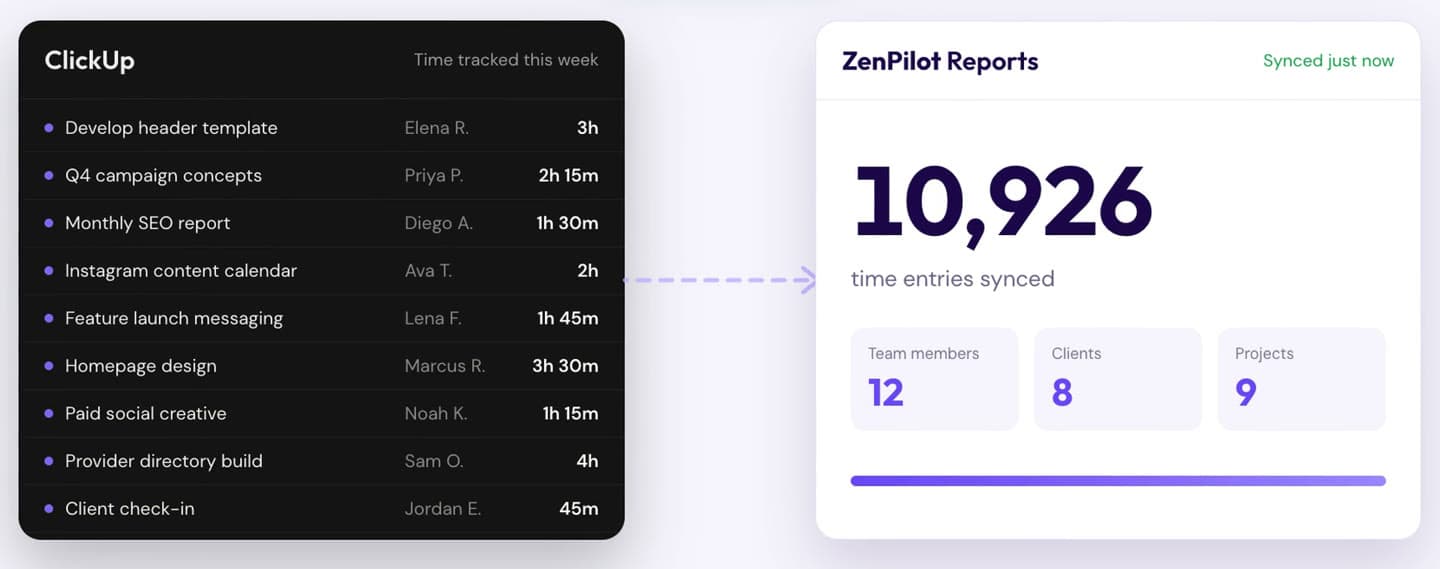
It runs on the time your team already tracks in ClickUp. Nothing to export, nothing to re-enter.
- 1
Connect ClickUp
Authorize your ClickUp Workspace in about 30 seconds. We sync time entries, estimates and tasks. Nothing is written back to your Workspace.
- 2
We calculate your numbers
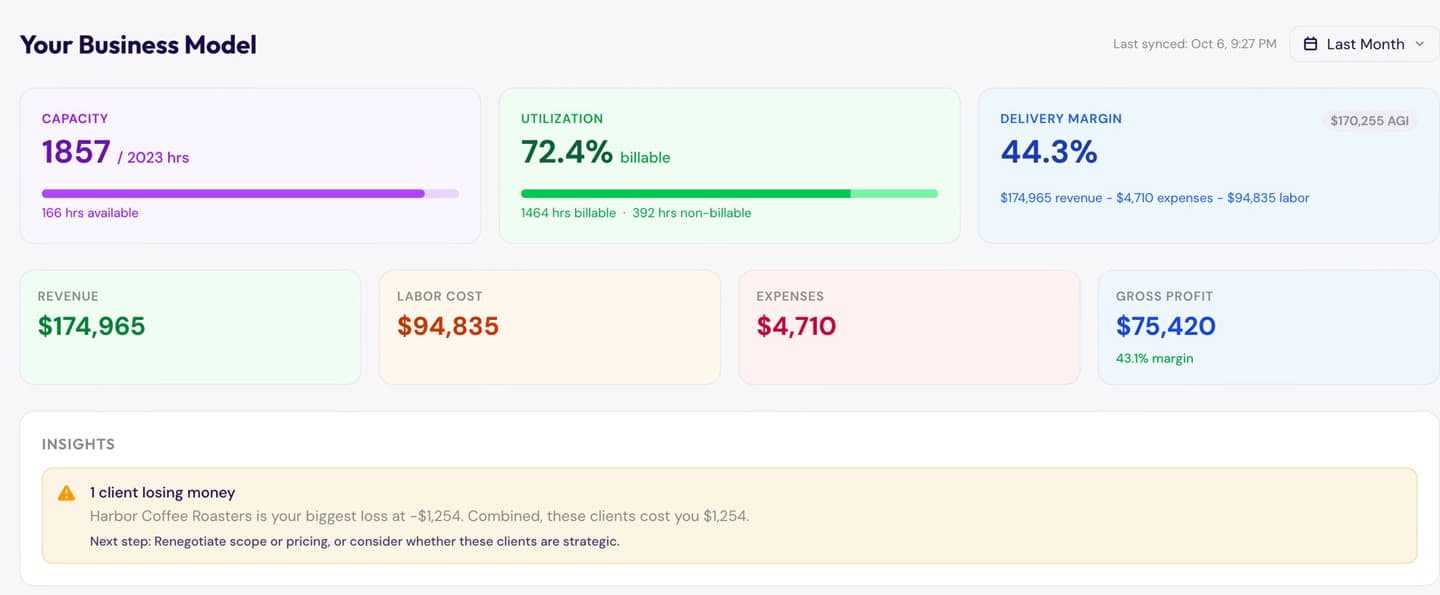
Add team costs, billing rates and client contracts once. We turn every tracked hour into delivery margin, utilization and capacity, by client, project and person.
- 3
Get weekly insights
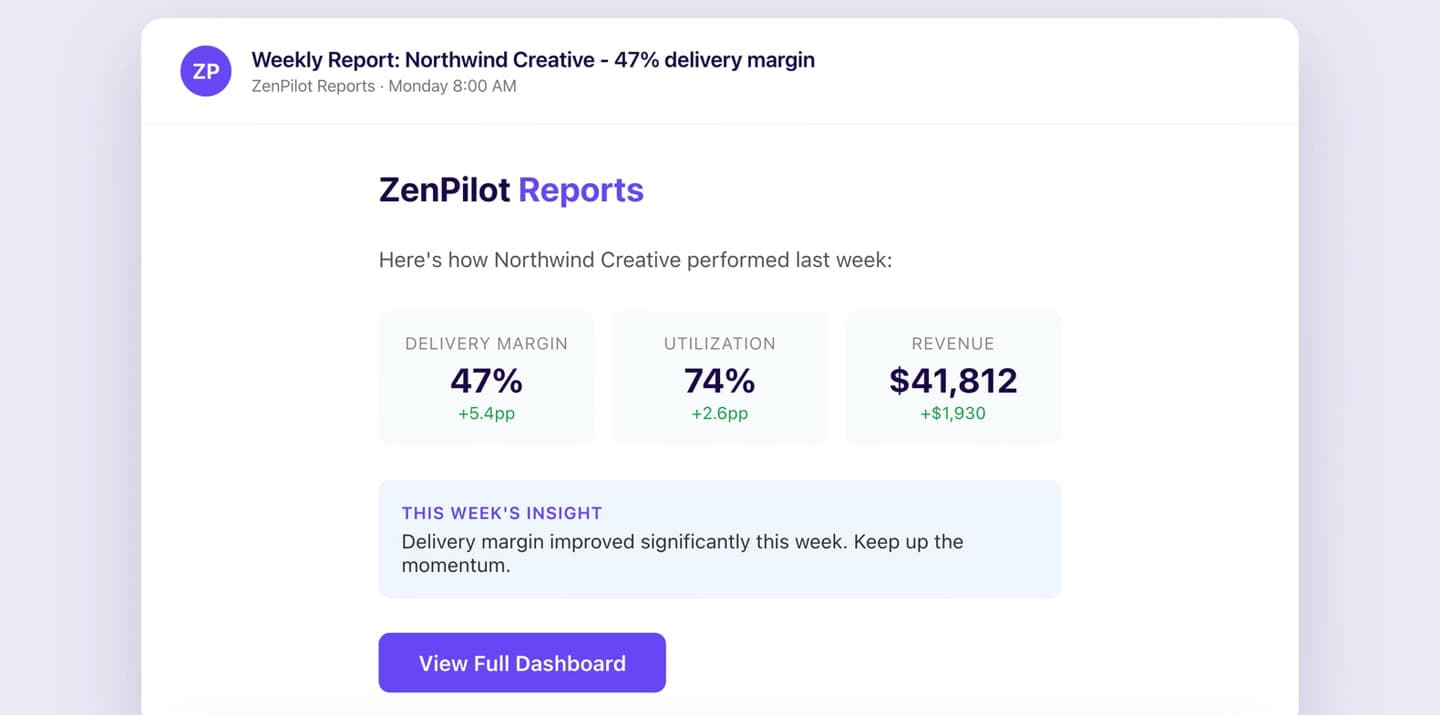
Every Monday, a digest lands in your inbox with last week's delivery margin, utilization and revenue, and how each one moved since the week before. No login needed to get the headline numbers.
Ready to see your own numbers?
Join the betaThree numbers that decide whether you make money
Most services teams track revenue. The best ones track what they keep.
92%
of team capacity in use, 166 hours open
Capacity
See who has bandwidth and who's overloaded
Hours tracked vs hours available, for every person on the team. See who's over capacity before it turns into missed deadlines or burnout, and who has room before you hire.
72.4%
billable utilization, 1,464 billable hours
Utilization
See how much of your team's time is billable
Billable vs non-billable hours by person, client and project, so you can see where the week goes and where billable time is leaking.
65.3%
delivery margin, after labor cost
Delivery margin
Know what's left after you pay the people doing the work
Margin by client and by project. See which accounts lose money, then fix the scope or the price before you quote the next one.
Capacity and utilization are from Northwind Creative, the demo Workspace in the 1-minute tour. The margin is an example.
Start free. Grow when you're ready.
No credit card required. Upgrade when you need more history, more people or more clients.
Free
Try it out with recent data
$0
- Last 30 days of data
- Up to 5 team members
- 5 clients · 10 projects
- Company + team dashboards
- 3 manual syncs/day
Starter
For small teams getting started
$149/mo
- Everything in Free
- 1 year of data
- Up to 15 team members
- 25 clients · 50 projects
- 10 recurring projects + period analytics
- Auto-sync every 24h
- Per-client / per-project sync
- Project alerts · CSV exports
Pro
Most popularFull profitability visibility for growing teams
$299/mo
- Everything in Starter
- 3 years of data
- Up to 50 team members
- 100 clients · 200 projects
- Unlimited recurring projects
- Expenses + receipts
- Rate history & overrides
- Coaching insights & profit sinks
- Time Review
- Auto-sync every 4h
Enterprise
Full functionality and ZenPilot support at scale
Contact sales
- Everything in Pro
- All-time data history
- Unlimited team members
- Unlimited clients & projects
- Auto-sync every 2h
- Included onboarding
- Dedicated account manager
- Client portal / chat channel
- API access
Join the ZenPilot Reports beta
Tell us a little about your team. We'll reach out to see if the beta is a good fit.
 Built by ZenPilot, ClickUp's highest-rated Solutions Partner.